.png)
Every time you sign a PDF with a USB token, log in with a smart card or open a website over HTTPS, PKI works in the background. You never see it, but it decides whether the other side can trust you. This article explains what PKI is, how its parts fit together and why the place where your private key is stored is the part most guides skip.
What is PKI?
PKI stands for public key infrastructure. It is the set of rules, organisations, software and hardware that issues digital certificates and links each public key to an identity the certificate authority has verified, such as a person, a company or a server (for simple website certificates, just the domain). Thanks to PKI, you can check who signed a document or who runs a website without ever meeting them.
PKI rests on asymmetric cryptography. Each user has a pair of keys. The private key stays secret with its owner and creates signatures or decrypts data. The public key can be shared with anyone and verifies those signatures or encrypts data for the owner. The maths alone does not tell you who owns a key, though. That is the job of the certificate and of the organisations that stand behind it.
How does PKI work?
Take the most common case among our customers, a digital signature on a PDF:
- A key pair is created. Your USB token or smart card generates the private and public key inside its chip. The private key never leaves it.
- A certificate authority vouches for you. After checking your identity, the authority issues a certificate that binds your name to your public key and signs it with its own key.
- You sign. You enter your PIN, and the chip signs a hash of the document with your private key. The signature and your certificate are embedded in the PDF.
- The recipient verifies. Their software checks the signature with your public key, follows the chain of certificates up to a trusted root and asks whether your certificate has been revoked.
Encryption works the other way round. The sender encrypts with your public key from the certificate, and only your private key can decrypt the message. That is how encrypted e-mail with S/MIME works.
The building blocks: CA, RA, VA, CRL and OCSP
A PKI has several roles. In smaller systems one organisation plays all of them, in large ones they are split:
| Part | What it does |
|---|---|
| Certificate authority (CA) | Issues and signs certificates. A root CA signs intermediate CAs, and those sign end-user certificates. Together they form the chain of trust. |
| Registration authority (RA) | Checks the applicant's identity, in person with an ID document or by video identification, and passes the approved request to the CA. |
| Validation authority (VA) | Answers whether a certificate is still valid at the moment of use. |
| CRL (certificate revocation list) | A list of revoked certificates that the CA publishes at regular intervals. |
| OCSP (Online Certificate Status Protocol) | A real-time check of a single certificate, faster than downloading the whole list. |
| Digital certificate (X.509) | An electronic ID card holding the owner's name, public key, validity period and the signature of the CA. |
Revocation is the part people tend to forget. If you lose a token or your key may have been exposed, you ask the CA to revoke the certificate. Once the revocation is published, OCSP and the CRL report the certificate as revoked, and signatures made with it afterwards no longer validate.
The registration authority is the part of PKI most applicants meet face to face. As a partner of the Czech provider PostSignum, we also help clients set up electronic signatures directly in their offices.
Where does your private key live?
The whole PKI depends on one assumption: only the owner can use the private key. If someone copies it, they can sign in your name and the certificate will happily confirm it was you. That is why the place where the key is stored matters so much:
| Storage | Can the key be copied? | Typical use |
|---|---|---|
| Software certificate (file on disk, browser store) | Yes, with access to the computer | TLS on servers, internal systems, non-qualified signatures |
| Smart card | No, the key is generated and used inside the chip | Employee ID and network logon, qualified signatures, card plus reader |
| USB token | No, same chip as a smart card in a USB body | Qualified signatures and seals, logon, S/MIME (separate certificate), code signing |
| HSM (hardware security module) | No, keys stay in tamper-resistant hardware in a server | Keys of certificate authorities, remote signing, high-volume sealing |
Smart cards and USB tokens are the personal form of PKI hardware. You carry them, they ask for a PIN and they sign inside the chip. If you are deciding between the two, our guide to USB token authentication compares them in detail. HSMs are the server form. They protect the keys of certificate authorities themselves and of services that sign thousands of documents a day.
Examples from our range for each type of hardware storage:
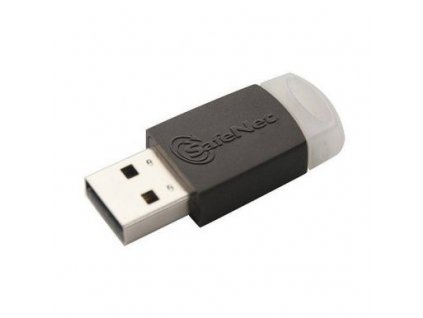 SafeNet eToken 5110 CC
Qualified USB token (QSCD)
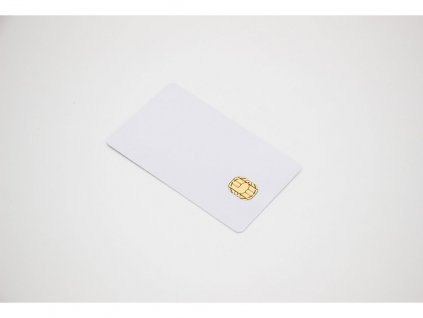 Thales IDPrime 940
eIDAS smart card
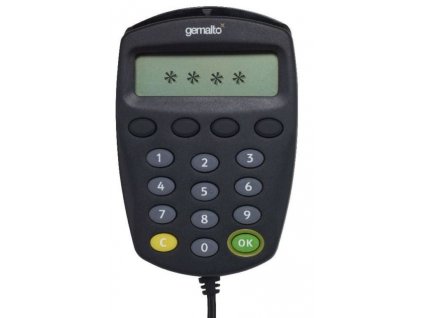 IDBridge CT710
Card reader with PIN pad
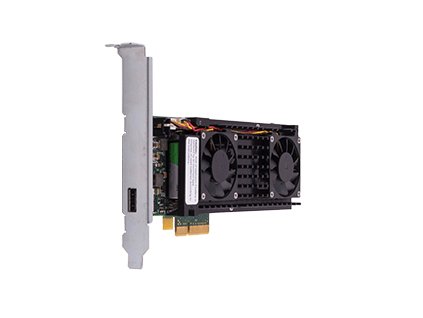 Thales Luna PCIe HSM A700
HSM for servers
You will find more models in our USB tokens, PKI smart cards, smart card readers and HSMs categories.
PKI and eIDAS: qualified electronic signatures
In the European Union, PKI has a legal layer on top. The eIDAS regulation, amended in 2024 by Regulation (EU) 2024/1183 (eIDAS 2.0), defines the qualified electronic signature (QES). A QES has the same legal effect as a handwritten signature in all EU member states.
For a QES you need two things that both come from PKI:
- A qualified certificate issued by a qualified trust service provider (QTSP). This is a trust service provider that a national supervisory body has granted qualified status and that appears on the EU Trusted List.
- A qualified signature creation device (QSCD), certified hardware that protects the private key. It can be a token or card you hold, or an HSM operated by the provider for remote signing.
An ordinary USB token can hold a certificate, but only a certified QSCD can create a qualified signature. The SafeNet eToken 5110 CC is one of them. You will find all qualified devices in our eIDAS USB tokens and eIDAS smart cards categories.
What is PKI used for?
- Signing documents: contracts, invoices and filings to public authorities. Signature formats such as PAdES for PDF are explained in our article What are PAdES, XAdES and CAdES.
- Signing and encrypting e-mail: S/MIME proves who sent a message and keeps its content private. See how to sign or encrypt e-mails in MS Outlook.
- Logon and remote access: Windows logon, VPN and Wi-Fi with a certificate on a card or token instead of a password. If you also want passwordless FIDO2 logins, the SafeNet eToken Fusion CC handles both on one device.
- Code signing: developers sign software so users can tell it has not been tampered with. Since June 2023, the CA/Browser Forum rules require code signing keys to be stored on certified hardware, such as a token, smart card or HSM. The SafeNet eToken 5110+ FIPS is one option.
- Websites: every HTTPS connection relies on a TLS certificate from a certificate authority that the browser trusts.
Frequently asked questions
Is PKI secure?
The cryptography behind PKI is considered secure when current key lengths are used. Weak points are usually elsewhere: a private key stored in a file that gets copied, a certificate that nobody revoked, or a PIN written on the token. Keeping the key on certified hardware removes the most common risk.
Is PKI still used?
Yes. HTTPS, electronic signatures under eIDAS, e-mail encryption and passwordless logon all run on PKI. Newer methods such as FIDO2 complement it for logins, but they do not replace certificates for signatures.
What is the difference between PKI and SSL?
SSL, today TLS, is a protocol that encrypts the connection between a browser and a server. PKI is the system that issues the certificates TLS uses to prove the server's identity. TLS is one application of PKI; signatures and encrypted e-mail are others.
How do I get a PKI certificate?
You apply to a certificate authority. For a qualified certificate, choose a qualified trust service provider in your country, verify your identity at its registration authority and have the certificate loaded onto a QSCD, such as a qualified USB token or smart card.
What happens when my certificate expires?
Signatures made while the certificate was valid and not revoked stay valid. To keep them verifiable years later, sign in a long-term format such as PAdES-LT or PAdES-LTA, which embeds a timestamp and revocation data. You can no longer create new signatures, so renew the certificate in time, typically every one to three years. Many providers let you renew onto the same token.
Need hardware for your PKI?
Whether you need one token for qualified signatures or smart cards for a whole company, the key question is where your private keys will live. Tell us what you want to sign or protect and we will recommend the right device. Contact us with any questions.