.png)
Strong authentication is no longer optional. With regulations like eIDAS 2.0 and NIS2 tightening requirements across the EU, organizations need authentication methods that go beyond passwords and SMS codes. USB token authentication offers exactly that — a portable, hardware-based solution that keeps cryptographic keys physically secure and under your control.
This guide explains how USB tokens work, how they compare to alternatives, which certifications matter, and how to choose the right one for your needs.
How USB Token Authentication Works
A USB token is a small hardware device — roughly the size of a thumb drive — that stores cryptographic keys and digital certificates in a tamper-resistant chip. Unlike passwords stored in databases or software certificates saved on a hard drive, the private key inside a USB token never leaves the device.
Here is what happens when you authenticate or sign a document:
- You plug the USB token into your computer and enter your PIN.
- The application sends a challenge (a piece of data to be signed) to the token.
- The token's onboard processor signs the challenge using the private key stored inside.
- The signed response goes back to the application, which verifies it against your public key certificate.
Because the private key is generated and stored on the chip, it cannot be copied, exported, or stolen remotely. Even if your computer is compromised by malware, the key remains protected inside the hardware.
For IT administrators: USB tokens communicate through standard interfaces — PKCS#11 for cross-platform applications, Microsoft CAPI/CNG for Windows environments, and PIV for US federal systems. Most tokens ship with middleware (such as SafeNet Authentication Client) that handles driver installation and certificate management.
For decision-makers: The core security guarantee is simple. A password can be phished, an SMS code can be intercepted, and a software certificate can be copied. A USB token requires physical possession of the device plus knowledge of the PIN — true two-factor authentication with no server-side secret to breach.
USB Tokens vs. Alternatives
Not every situation calls for a USB token. Here is how they compare to other common options:
USB Token vs. Smart Card
Both use the same PKI technology and offer equivalent security. The difference is form factor: a smart card looks like a credit card and requires a separate reader, while a USB token plugs directly into a USB port. Tokens are more convenient for individual users and remote workers. Smart cards make sense when you also need them as physical ID badges or access cards.
USB Token vs. OTP Token
OTP (One-Time Password) tokens generate temporary codes for login. They handle authentication only — you cannot use them for digital signatures, email encryption, or certificate-based operations. USB tokens do all of that because they store full PKI certificates. If you only need login MFA and nothing else, an OTP token is simpler. If you need signatures or encryption, you need a PKI-capable USB token.
USB Token vs. Software Certificate
A software certificate stored on your hard drive or in a browser can technically perform the same operations. But the private key is only as secure as the computer it sits on. If someone gains access to the file system, the key can be copied. USB tokens eliminate this risk by making the key non-exportable. For any regulated use case — qualified electronic signatures, for example — software certificates do not meet the requirements.
USB Token vs. Cloud / Remote Signing
Cloud signing services (like remote QSCD solutions) store keys in a centralized HSM. This is convenient — you can sign from any device without carrying hardware. But you depend on the service provider's infrastructure, availability, and security practices. A USB token gives you full physical control over your keys. Some organizations prefer cloud signing for high-volume automated processes and USB tokens for individual users who need portability and autonomy.
Comparison at a Glance
| Security Level | Use Cases | Deployment Cost | Ease of Use | |
|---|---|---|---|---|
| USB Token | Very high (hardware-protected key) | MFA, signatures, encryption, code signing | €35–70 per token | Plug in + PIN |
| Smart Card | Very high (same as USB token) | Same + physical access / ID badge | €15–30 per card + reader | Card + reader + PIN |
| OTP Token | High (one-time codes) | Login MFA only | €10–30 per token | Press button, type code |
| Software Certificate | Medium (exportable key) | Signatures, encryption (non-regulated) | Low (certificate cost only) | No hardware needed |
| Cloud Signing | Very high (HSM-protected) | High-volume signatures, remote signing | Subscription-based | Browser / API |
Key Standards and Certifications
When evaluating USB tokens, certifications tell you what level of security has been independently verified. Here are the ones that matter:
FIPS 140-2 / 140-3
The US federal standard for cryptographic modules. FIPS 140-2 Level 2 or 3 is required for US government use and widely recognized globally. If you are selling to US customers or federal contractors, FIPS certification is essential. For EU-focused use cases, Common Criteria is more relevant.
Common Criteria (EAL4+ / EAL5+)
The EU-preferred evaluation framework. Common Criteria certification at EAL4+ or higher means the token's security design has been thoroughly evaluated by an accredited lab. Most eIDAS-qualified tokens carry Common Criteria certification — it is effectively a prerequisite for QSCD qualification.
eIDAS and QSCD Qualification
This is where it gets important for EU organizations. Under the eIDAS regulation, a Qualified Electronic Signature (QES) has the same legal standing as a handwritten signature across all EU member states. To create a QES, you need:
- A qualified certificate — issued by a Qualified Trust Service Provider (QTSP).
- A Qualified Signature Creation Device (QSCD) — the hardware that protects the signing key.
A USB token that is QSCD-qualified meets the strict requirements set by eIDAS for key generation, storage, and signature creation. Not all USB tokens are QSCD-qualified — check the to verify.
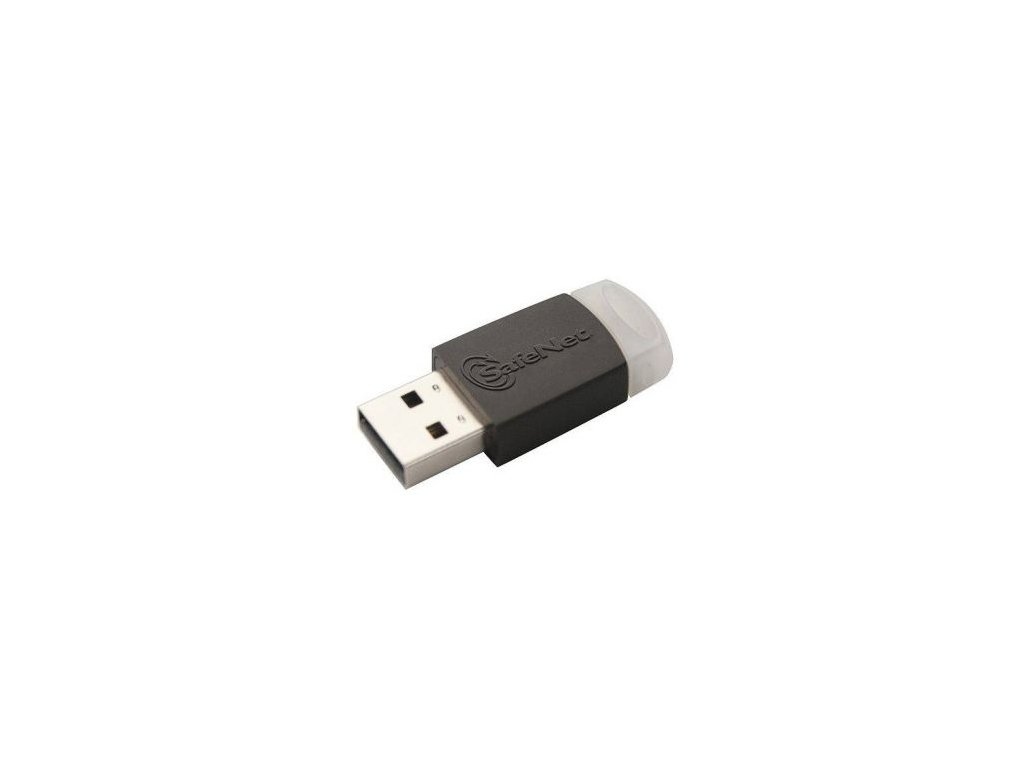
For example, the is a QSCD-qualified device, meaning signatures created with it — combined with a qualified certificate — carry full legal weight across the EU.
NIS2 Implications
The NIS2 Directive, effective from October 2024, requires essential and important entities across the EU to implement stronger cybersecurity measures, including robust authentication. While NIS2 does not mandate specific hardware, using certified USB tokens for privileged access and critical operations is one of the most straightforward ways to demonstrate compliance with its authentication requirements.
Common Use Cases
Enterprise MFA and Network Logon
USB tokens can replace or supplement passwords for Windows domain logon, VPN access, and single sign-on (SSO). When combined with a certificate deployed through Active Directory, a token-based login is both stronger and faster than typing a password plus waiting for an SMS code.
Qualified Electronic Signatures (QES)
For contracts, official documents, and any scenario where legal validity matters across EU borders, a QES created with a QSCD-qualified token is the gold standard. It replaces wet-ink signatures and is recognized in all 27 EU member states without additional validation.
Qualified Electronic Seals
Organizations (not just individuals) can use USB tokens to apply qualified electronic seals to invoices, reports, and automated documents. A seal proves the document originated from the organization and has not been altered.
Code Signing
Software developers use USB tokens to sign code, ensuring that end users can verify the software has not been tampered with since it was published. Many code signing certificate providers now require keys to be stored on hardware tokens.
Email Encryption (S/MIME)
With a certificate on a USB token, you can digitally sign and encrypt emails. The recipient knows the email came from you (not spoofed) and that only they can read the encrypted content.
How to Choose the Right USB Token
Use this checklist to narrow down your options:
1. What certification do you need?
- EU qualified electronic signatures → QSCD-qualified (Common Criteria), e.g., (€37)
- US federal / global compliance → FIPS 140-2 Level 2+
- General enterprise MFA → Common Criteria or FIPS, depending on your regulatory environment
2. Which platforms do your users run?
- Windows, macOS, Linux — verify middleware compatibility. SafeNet Authentication Client covers all three for Thales/Gemalto tokens.
3. Do you need FIDO2 / passwordless support?
- If you want a single device for both PKI and passwordless web authentication (WebAuthn/FIDO2), consider hybrid tokens like the (€69), which combines PKI + FIDO2 in one device.
4. USB-A or USB-C?
- Newer laptops may only have USB-C ports. The (€64) eliminates the need for adapters.
5. How many tokens do you need?
- For fleet deployments (50+ tokens), look into volume pricing and credential management systems (CMS) that let IT teams initialize, assign, and revoke tokens centrally.
Getting Started: From Purchase to First Signature
The process is more straightforward than most people expect:
- Purchase a QSCD-qualified USB token from a trusted supplier.
- Install the middleware — for Thales/Gemalto tokens, this is SafeNet Authentication Client. It provides drivers, PIN management, and certificate tools.
- Initialize the token — set your user PIN and, if applicable, an admin PIN for recovery.
- Obtain a qualified certificate — contact a Qualified Trust Service Provider (QTSP) in your country. They will verify your identity and issue a certificate that gets loaded onto your token.
- Sign your first document — open your signing application (Adobe Acrobat, your document management system, or a web-based signing portal), select the token-based certificate, enter your PIN, and sign.
For IT administrators managing larger deployments: A credential management system (CMS) automates steps 3 and 4 across hundreds or thousands of tokens. It handles certificate enrollment, renewal, and revocation through a central console — no need to touch each device individually.
Security Best Practices
Once your tokens are deployed, follow these practices to maintain their security:
- Set a strong PIN — at least 6 digits, ideally alphanumeric if the token supports it. Configure a retry lockout (typically 3–5 failed attempts) to prevent brute-force attacks.
- Do not leave tokens plugged in — when you are not actively using the token, remove it from the USB port. A plugged-in token on a compromised machine could potentially be used without your knowledge.
- Track certificate expiry — qualified certificates typically expire after 1–3 years. Set reminders well in advance to avoid disruption.
- Plan for lost or damaged tokens — have a process for revoking the certificate on a lost token and issuing a replacement. If your QTSP supports it, consider keeping a backup certificate on a second token stored securely.
- Keep middleware updated — firmware and middleware updates can patch vulnerabilities and add compatibility with new operating systems.
Next Steps
USB token authentication remains the strongest portable method for identity verification and legally binding digital signatures in the EU. Whether you need to meet eIDAS requirements for qualified signatures, comply with NIS2 authentication mandates, or simply replace passwords with something that cannot be phished, a certified USB token is the most direct path.
Ready to get started? Browse the full range of and at QSCD.eu. If you need help selecting the right token for your use case or planning a fleet deployment, — we are here to help.